
See CrewAlerts in Action
Stop the Chatter. Get the Answer.
See how CrewAlerts makes it easy to contact your team, collect private responses and keep everything organised.
Explore the screens below to see how it works, from sending your first request to reviewing everyone’s responses.
Send One Request. Reach Your Team.
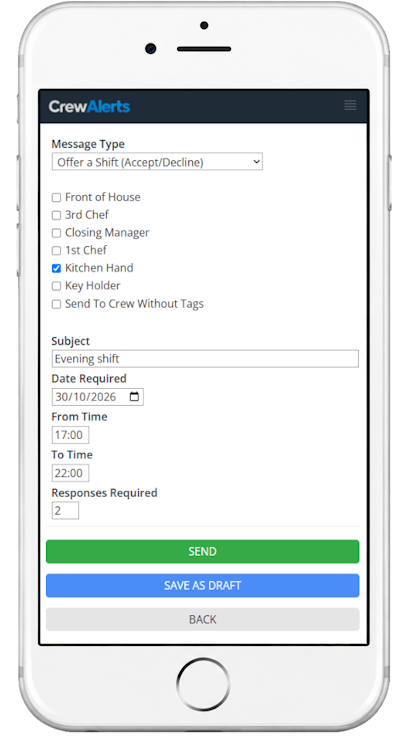
Need someone to cover a shift? Want to check who’s available for an event? Need your team to confirm an important message?
Create your request, choose who should receive it and send.
CrewAlerts distributes the message so you don’t have to contact everyone individually.
One Request
Send the same request to multiple people without repeating the work.
Choose Your Recipients
Contact the people relevant to your request.
No Group Conversation
Your request doesn’t become another busy group chat.
Your Team Responds Privately
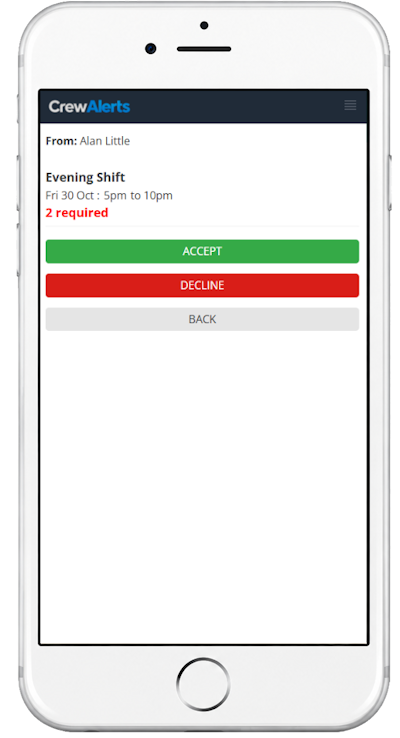
Your people can receive a phone notification when a new request arrives.
They open CrewAlerts, read the request and respond.
Their answers go back to the organiser instead of appearing in a group conversation.
Simple for Everyone
No complicated system for employees or volunteers to learn.
Private Responses
Individual answers don’t create more group chatter.
Clear Requests
People can see what they’re being asked and respond accordingly.
See the Answers Together
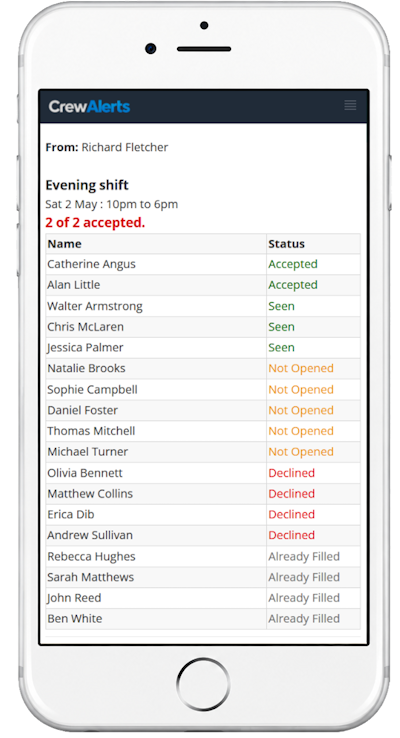
Instead of searching through WhatsApp conversations or individual text messages, see the responses in one place.
Know who’s replied and who still needs to respond.
Whether you’re filling a shift, checking availability or organising an activity, you have the information you need to decide what happens next.
See Who Responded
Review responses without searching through messages.
Know Who Hasn’t Replied
Identify outstanding responses without keeping a separate list.
Make Decisions Faster
Get a clear picture of your team’s availability or confirmations.
More Than Shift Requests
CrewAlerts isn’t limited to filling shifts.
Use it whenever you need to communicate with a group and obtain individual responses.
Polls & Decisions
Collect votes and see who's responded or still needs to vote.
Shift Coverage
Offer shifts to selected staff, track acceptances and limit how many people can accept.
Important Announcements
Send announcements, track who's read them or request acknowledgement.
Event Staffing
Check availability and coordinate people for upcoming events.
Workplace Notifications
Keep work messages separate from personal email, without outside spam.
Questions & Feedback
Ask questions and collect individual written responses in one place.
Easy for Your Team to Get Started
Your people don’t need to learn a complicated new system.
We’ll help you invite everyone to CrewAlerts. Employees don’t need a company email address.
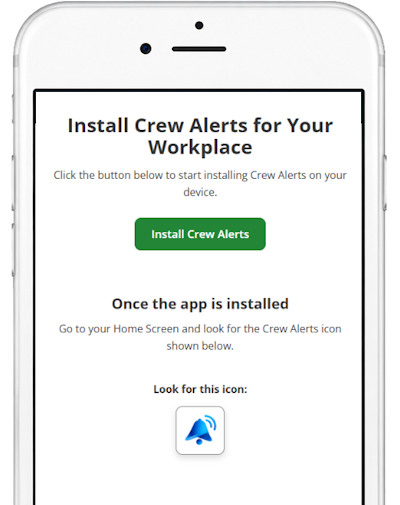
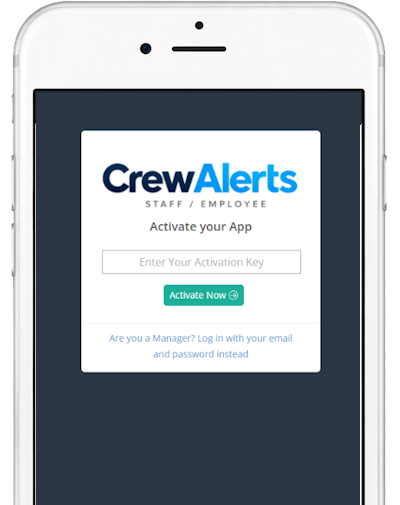
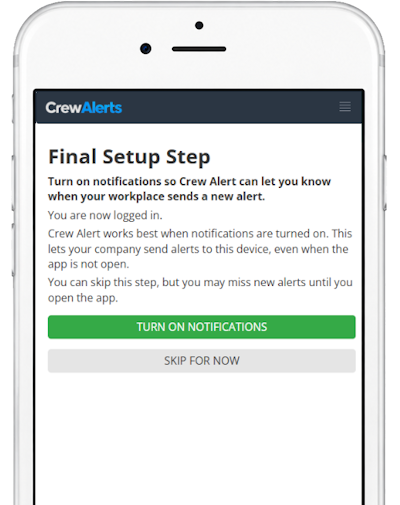
Each person opens the installation link on their phone, installs the app and activates it using the provided details.
They can then receive notifications and respond to your requests.
We'll Help You Get Connected
CrewAlerts works best when your team is ready to use it.
That’s why we help with the initial setup.
Already using MyTimesheets or AceTimesheets? We can import your employees directly. Otherwise, we’ll help import your existing staff list.
We’ll help prepare the invitations and get your organisation ready to send its first requests.
Then you can try CrewAlerts with your own team for 14 days.
No credit card required. Free assisted setup.
A few questions we get asked
If you have other questions, give us a call. We’ll answer them with no sales pitch.
Absolutely. We offer a free 14-day trial with no credit card required. We'll help you get started and show you how CrewAlerts can work with your business requirements.
Managers access CrewAlerts through the management system, while team members can install the CrewAlerts app on their phones using a simple link.
There's no need to search an app store.
Your organisation sends each person an invitation with their activation details.
They open the installation link, install CrewAlerts on their phone and activate their account.
We'll help prepare the invitations and get your team connected.
Yes. Employees should enable notifications so CrewAlerts can alert them when a new request arrives.
The app reminds users if notifications haven't been enabled.
Yes. CrewAlerts is designed for people using their own smartphones.
Not necessarily.
WhatsApp is useful for conversations.
CrewAlerts is designed for situations where you need to send a request and collect individual responses without starting a group discussion.
You can continue using WhatsApp for ordinary conversations and use CrewAlerts when you need definite answers.
Yes. You can offer shifts to selected employees, see who's accepted or declined, and limit how many people can accept.
You can also exclude employees who are already rostered or on leave, when that information is available.
Yes. CrewAlerts can be used by businesses, clubs, community groups and volunteer organisations.
It's useful whenever you need to contact a group of people and collect individual responses.
No. CrewAlerts uses a flat monthly subscription for your organisation.
There are no per-person subscription charges.
CrewAlerts app messages are included in your subscription.
You don't pay separately for each app message.
Yes. You can start with a smaller group while getting familiar with CrewAlerts.
We recommend involving enough people to experience how the system works in a real situation.
CrewAlerts is designed for organisations in different countries.
Team members need a compatible device and internet access to use the service.
No. Responses to requests are collected on each request's results screen without notifying the manager every time someone replies.
Managers can check the results whenever they choose. Direct messages are handled separately and can generate notifications.
You can see who's responded, who's opened the request and who hasn't opened it yet.
This makes it easy to identify outstanding responses and decide whether anyone needs following up.
We provide support by phone, email and chat.
We'll also help you with your initial setup, including importing your team and preparing invitations.
No sales presentation is required.
You can watch our demonstration without registering, and you're welcome to start a free trial whenever you're ready.
We'll help you get your team connected so you can try CrewAlerts for yourself.
If CrewAlerts is right for your organisation, you can continue using it on a monthly subscription.
There's no long-term contract, and you won't be charged automatically when your free trial ends.
Yes. CrewAlerts is a monthly subscription with no long-term contract.
You can cancel your subscription if you decide it's no longer right for your organisation.
Ready to Try CrewAlerts?
See how much easier it is to communicate with your team without the group chatter.
14 days free. No credit card required. We’ll help you get started.